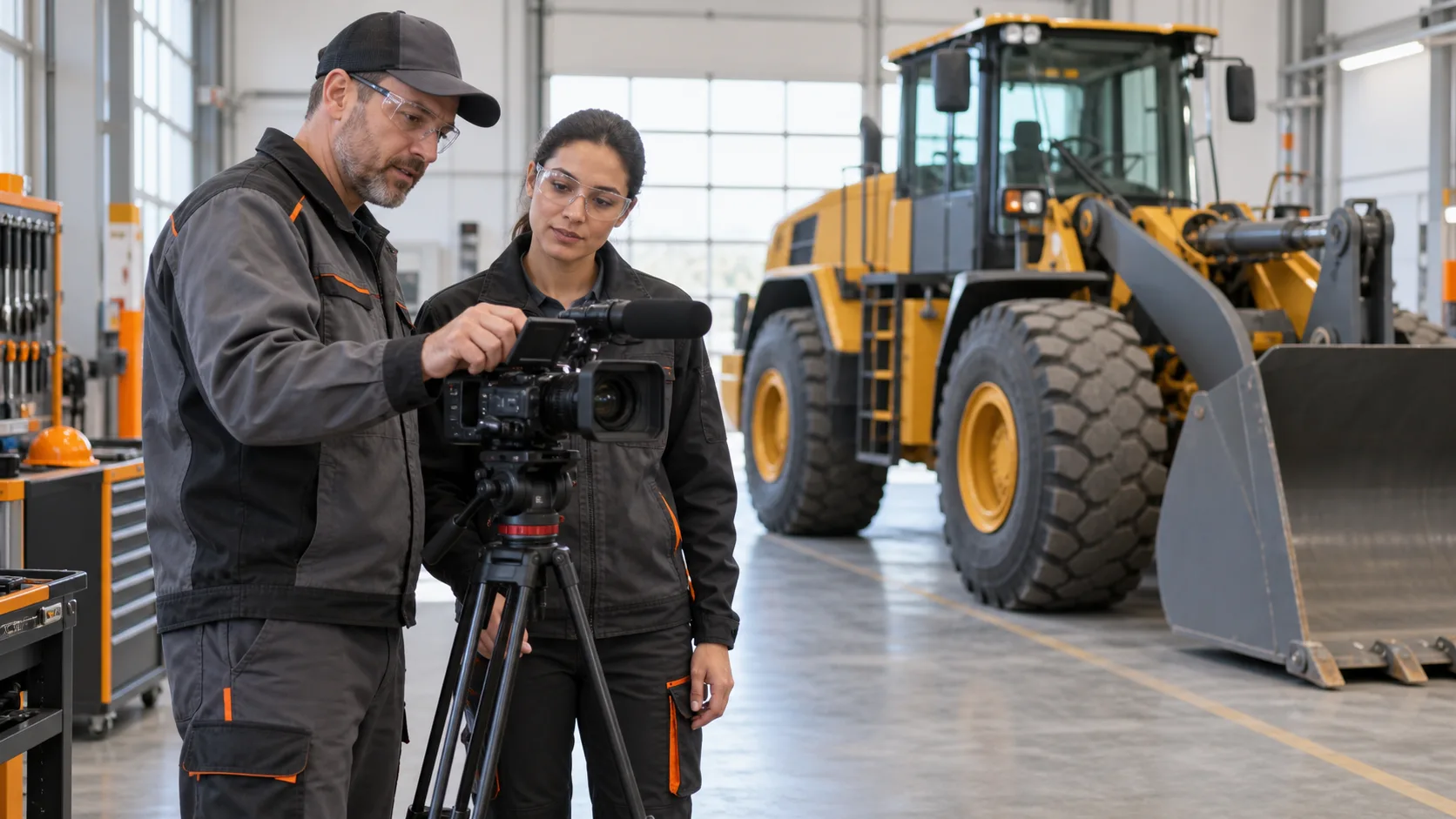
An operator-training video asks learners to listen, watch, and connect each instruction with something they can see. When the video is localized, those elements still need to work together. A translation may be accurate on paper yet use a different name for a control than the equipment display, run longer than the relevant demonstration, or compete with subtitles for the learner’s attention.
For international equipment teams, the question is broader than, “How much will it cost to translate this video?” The more useful question is which combination of technical script translation, subtitle adaptation, localized visuals, and narration will keep the approved instruction clear and usable in each target market. Terralíngua provides technical translation and localization for training materials, along with multimedia localization and multilingual AI-powered video narration. These services can support the language and production requirements of international equipment-training programs.
Start with the source video and its intended use. A short dealer orientation, an instructor-led demonstration, and a self-paced operator module may require different localization approaches. This article focuses on the language and audiovisual work involved in delivering the training. The client’s equipment and safety specialists remain responsible for approving procedures, safety-sensitive wording, and the suitability of the training for its intended use.
Define Auditory and Visual Learning Content
Identify the audience, language variant, equipment model, and viewing environment before choosing the production approach. Consider whether learners already know the equipment, whether an instructor will pause the video, and whether it will be accessed by users on a classroom display, laptop, or handheld device. These details affect the space available for subtitles and the pace at which information can be presented. During localization, allow for differences in text length between languages, which may require adjustments to subtitle timing, line breaks, or available visual space. There can be considerable expansion or contraction with different languages.
Review the video for moments when learners need to focus closely on a control, indicator, or physical movement. Though a video may have spoken content – subtitles are an option as well. Please note that detailed subtitles appearing at the same moment can create competing reading and viewing demands. Narration may allow learners to keep their attention on the demonstration, while captions may still be required for accessibility or other project needs. AI has created a new opportunity to avoid costly studio time production. This allows for quality spoken content that is budget friendly. It is always best to evaluate localization decisions for auditory and visual content scene by scene rather than assuming one format will work throughout the video.
Clarify the training content’s boundaries based on user permissions. The localized video should not imply authorization to operate equipment or replace another required instruction. Preserve approved statements about prerequisites and intended use. If those statements are missing or unclear, ask the training owner to resolve them before translation work begins.
Assemble an Editable Source Package
Send the approved video together with the script that matches the final recording. A script prepared before filming may omit an instructor’s added explanation or describe content that was later removed. Reconcile those differences first. Automatic transcripts can provide a useful starting point, but technical terms, numbers, and other critical details should be checked against the recording. A best practice is to localize the transcript first and receive reviewer or trainer approval before translating the video or audio content.
Where available, provide the video-editing project, linked footage, separate narration and background-audio tracks, subtitle files, and editable graphics. A finished video alone may contain text or speech that is difficult to replace cleanly. Identify missing source assets early so the provider can assess whether reconstruction, alternative treatment, or replacement footage may be needed.
Provide the relevant approved terminology and reference documents rather than asking the translator to reconstruct an operating procedure from a manual. Include screenshots of the actual interface, photographs of physical labels, and any approved target-language equivalents. Record which equipment and software versions those references describe. A correct label from a different model can result in misleading instructions.
A useful handoff also identifies the technical reviewer, the person authorized to approve wording changes, the required languages, and the final delivery destination. Mark the video and script versions clearly. These details make a quotation more meaningful than a runtime and language list alone.
Connect Every Spoken Term to the Visible Element
Create a shared reference for control names, display messages, and component terminology before recording narration. The key question is not simply which translation sounds most natural, but how the learner will identify the item on the equipment they will use. Confirm whether the interface is localized, remains in English, or uses symbols, and whether the filmed version matches the equipment used in the target market.
When a physical label remains in the source language, the client may approve retaining that label alongside a translated explanation. When the interface is localized, use the approved interface terminology consistently. Do not translate a visible label into wording that does not appear on the machine or screen. The language provider should flag the mismatch for a client decision.
Consider a hypothetical video in which the instructor refers to a settings menu while the camera shows a specific display. The translated script uses a general synonym, but the destination interface uses a specific menu name. The reviewer should resolve the terminology before audio production, then apply the approved term consistently in the narration, subtitles, and any on-screen callout. This illustrates a localization decision, not an operating instruction. Provide any localized screenshots, interface options, or labels that may be currently in use for consistency.
Also check references such as “here,” “this one,” and “the control on the left.” Their meaning depends on the camera shot and viewpoint. Ask whether the approved script should name the component more explicitly. Any clarification that affects the procedure should be resolved with the client’s technical reviewer before it enters the translated version. For source content written in English, consider whether Simplified Technical English (ASD-STE100) is appropriate. STE is a controlled natural language with defined writing rules and a controlled vocabulary intended to make technical documentation clearer and easier to understand.
Translate for Comprehension, Then Adapt for Timing
Ensure when the script is translated, your team also has access to the video or visuals. A time-coded script links each passage to its position in the recording, allowing translators and reviewers to see which demonstration supports the wording. Include notes about important gestures, screen changes, and pauses. These cues provide useful context even when the source language is fully understood.
Target-language narration may take longer or shorter to deliver than the original. Do not solve every timing mismatch by speeding up the voice or deleting words. First determine whether the edit can accommodate a longer pause, a held shot, or a different transition. If the wording needs to be shortened, preserve the instruction’s conditions, sequence, and meaning, and obtain approval when those elements are affected.
Keep connected information together. A qualification should not arrive after the action it governs, and an explanation should not continue over an unrelated demonstration. Likewise, do not stretch a brief instruction across a long sequence simply to fill the soundtrack. Review where the learner hears each idea in relation to what is visible.
Use an early sample that includes difficult terminology, a detailed control view, and a timing constraint. Approving the sample can establish the approach before production begins across all languages. It does not replace review of the remaining content; it gives the team a concrete basis for agreeing on pace, terminology, and presentation.
Check Subtitle Legibility on Screen
Subtitle adaptation is more than placing the translated script at the bottom of the screen. Divide the text into readable units, use line breaks that preserve meaning, and allow enough display time for the intended audience. Agree on a subtitle style with the provider and test it at the actual screen size. Do not treat a generic character limit as proof that a technical passage is readable.
Check subtitle placement against the footage. Text should not conceal a hand movement, display message, or control that the learner is meant to study. If the relevant detail occupies the usual subtitle area, the editor may need to reposition the subtitles or adjust the composition. Review the result across the full scene, including moments when the camera moves.
Decide whether you need translated dialogue subtitles, accessibility captions, or both. Captions include the spoken dialogue as well as relevant non-speech audio and speaker information needed to understand the content. The World Wide Web Consortium (W3C) explains this distinction in its guidance on prerecorded captions. Relevant equipment sounds should not disappear from the learning experience simply because the spoken words have been translated. Have the client identify which sounds carry instructional meaning that should be included.
Separate caption files can allow viewers to turn captions on or switch languages, depending on the playback system. Burned-in subtitles remain visible in the video but require a separate video export for each language. Confirm the destination platform’s capabilities before selecting the format. Captioning is only one part of accessibility, so assign an accessibility reviewer to assess other requirements rather than treating subtitles alone as complete conformance.
W3C guidance on prerecorded captions and meaningful audio information
Consider Synthetic Narration to Extend Language Coverage
Synthetic narration converts written text into spoken audio. For suitable training projects, it can reduce narration-production costs by limiting the need for additional recording sessions and making revised passages easier to regenerate. This can make additional language versions more practical and help companies extend equipment training to teams that previously relied only on the source-language video. The savings depend on the project. Translation, pronunciation review, synchronization, technical terminology checks, and final quality review still require time and expertise.
Terralíngua offers AI-generated narration with synthetic voices, as well as video localization and subtitle production using Adobe Premiere Pro. Paired with technical translation and localization, these services allow clients to combine script translation, audiovisual localization, and narration within the same multilingual project. For training videos, this can simplify coordination and make additional language versions more practical.
Choose a voice by testing real training material, not just a fluent introductory sentence. Include model identifiers, abbreviations, units, and unfamiliar component names, and ask the client how these should be pronounced. A voice can sound convincing while mispronouncing an identifier, so review the generated audio itself with a native speaker’s ear rather than approving the written script alone.
Speech-synthesis systems can offer pronunciation controls. For example, Microsoft documents the use of phonemes and custom lexicons to control how specific words and terms are pronounced. The available controls vary by technology and language; Microsoft is one example and not the only available platform. The project will need an agreed pronunciation reference and auditory review.
Synthetic narration will not be the best choice for every presentation. Compare it with human narration when the material relies heavily on an instructor’s performance or requires expressive delivery that the selected voice may not handle well. Ask for a representative sample and compare the options against the project requirements. Confirm intelligibility, pacing, and terminology before selecting the production method for the full series.
Microsoft documentation on controlling synthetic-speech pronunciation
Confirm the Entire Soundtrack
Replacing narration also changes how the learner hears the rest of the video. Establish whether the original voice should be removed completely or remain quietly audible and identify any background sounds that must be retained. Separate audio tracks give the editor greater control; when the original voice is mixed with an important equipment sound, additional editing or a different treatment may be needed. Have the technical owner approve of any change that could affect instructional meaning.
Listen to the final mix through the method learners are expected to use, including ordinary laptop speakers where relevant. Check that music or residual source speech does not mask important terms and that adjacent narration segments have a consistent listening level. Review any corrected synthetic-voice segment within the surrounding passage, not only in isolation. Confirm that the audio change has not left captions tied to an earlier script version or introduced an unexplained pause before the next demonstration.
Review Safety-Sensitive Wording in Context
Designate client reviewers before production begins. The language reviewer confirms meaning, terminology, and natural expression. The equipment specialist checks references to controls, functions, and the approved demonstration. The safety reviewer is responsible for safety-sensitive wording and whether the localized presentation preserves the intended conditions and restrictions. One person may cover several roles, but each decision should have a clear owner.
Do not shorten a warning or weaken an instruction simply to fit a subtitle or recording slot. If the approved wording does not fit, flag the conflict and agree on a production change or an authorized revision. The same principle applies to numbers, units, negation, and the order of instructions. Translators should query ambiguities rather than infer the intended equipment behavior.
Review the completed audiovisual sequence as well as the script. Correct text alone does not establish that the related image appears at the right moment. Ask reviewers to identify issues by timecode, describe the problem, and provide a consolidated decision. A comment such as “wrong control shown at this point” is actionable; an unexplained replacement script can obscure what needs to change.
Agree on Deliverables and Acceptance Confirmations
Specify the delivery package for each language. It may include the localized video, timed subtitles or caption files, final narration tracks, and the approved script. Confirm whether editable project files and pronunciation references are included and identify the source version against which the package will be accepted. Do not assume that a video export includes every production asset.
Use concrete acceptance checks rather than relying on a general statement that the video is acceptable. The following checks can form part of the review:
- Control names match the approved equipment or interface references.
- Narration and subtitles preserve the approved meaning and sequence.
- The referenced control or demonstration is visible when needed.
- Captions remain readable without concealing relevant details.
- Technical terms, numbers, and identifiers are pronounced as approved.
- Delivered language tracks and files work in the intended player.
- Client technical and safety comments are resolved before release.
Test the uploaded version, not just the editor’s local export. A learning portal may handle captions, audio tracks, or playback differently. After uploading, check language selection, seeking, and caption timing, including later sections of the video. Assign responsibility for the platform test and for approving the version learners will receive.
Plan Updates by Scene and Language
Budget and schedule depend on more than runtime. The availability of editable files, density of technical content, number of visible labels, timing constraints, language variants, and review rounds all affect the scope. A short video with frequently changing controls may require more localization work than a longer presentation with a stable visual background.
Maintain a scene-level log linking the approved source passage to its translated text, narration, and subtitles. If a display changes, identify the shots and language assets affected. Regenerating a synthetic-voice passage may be straightforward, but a change in duration can require subtitling or editing adjustments. Review the affected sequence again before replacing the published file.
Keep the release process visible: identify who approves changes, who updates the learning platform, and who removes superseded versions. This is especially useful for a series covering multiple equipment models. Reusing approved language can save effort but confirm that the wording still applies to the current model and demonstration before carrying it forward.
Frequently Asked Questions
Are Subtitles Enough, or Is Translated Narration Needed?
The choice depends on what learners must watch while receiving instruction. Narration is best when reading subtitles would compete with observing a control or movement. Subtitles or captions may still be needed with narration. Assess a representative scene using the intended screen size and viewing environment before choosing a treatment for the full video.
Can a Video Be Localized If Only the Finished File Is Available?
Possibly, but the finished video needs assessment first. Speech mixed with other audio, embedded labels and missing graphics can make replacement more involved. Provide the best available file and identify missing assets. The agreed scope may include transcription, reconstruction or an alternative treatment; some scenes may require replacement source material.
What Happens If the Translated Narration Is Longer Than the Original?
Review the wording and edit together. An extended image, longer pause, or adjusted transition may accommodate the translation. Do not automatically accelerate speech or remove conditions to fit the original timing. If shortening would affect the instruction, obtain the technical owner's approval and check the revised narration against the demonstration and subtitles.
Can One Narration Segment Be Updated Without Recreating Every Language Version?
Often the work can be limited to affected scenes and languages when source files and revision logs are available. Identify the changed passage and any dependent labels, captions, or footage. Replacement audio can alter timing, so review the surrounding sequence and test the updated video in its delivery player before release.
Provide a Representative Video and Clear Instructions
Terralíngua’s technical translation and multimedia localization services provide a professional evaluation of the script, subtitles, narration, and video-localization requirements of your project. If working with a large scope, start with a representative video to test the process and include the matching approved script, and available production files. Define the target languages, equipment and interface versions, audience, delivery format, and required date, along with terminology references and the contacts authorized to approve technical and safety-sensitive wording.
Ask for an assessment of the scenes that require more than translation, including visible controls, timing conflicts, noneditable labels, and pronunciation challenges. Where budget limits the number of language versions, request a synthetic-narration option and a sample using your approved terminology. A well-scoped pilot can help establish an approach for the remaining videos while keeping review responsibilities clear.
Explore Terralíngua’s Multimedia Localization and Narration Services