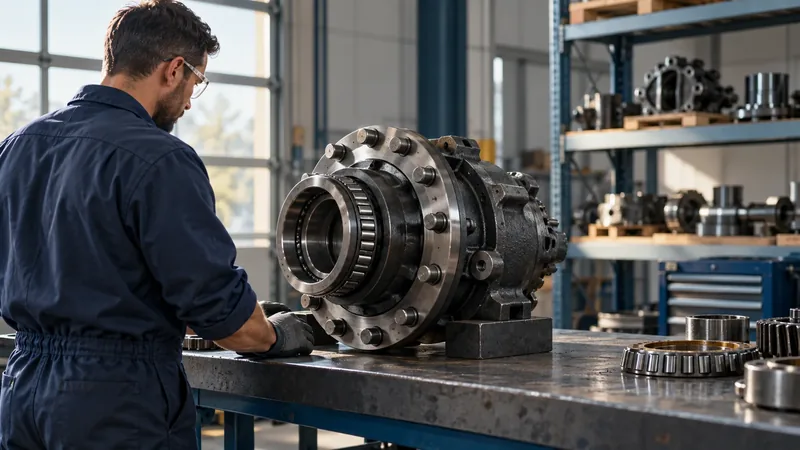
An illustrated parts list connects a component in a drawing with the information needed to identify it. When that list is translated, the description may change language, but its relationship with the illustration, part number, quantity, and machine variant must remain intact. A fluent translation is not enough if a reader follows a callout to the wrong row or mistakes an alternative component for an interchangeable one.
An illustrated parts list translation therefore should combine language localization work with reference control protocols. For equipment manufacturers, dealers, and documentation teams, the practical question is how to localize component descriptions while preserving the structure that makes the list usable. Engineering subject matter expert translation addresses meaning and terminology; multilingual desktop publishing keeps the translated information readable and correctly positioned. It is important to ensure your provider has the qualifications to provide the work needed. Terralíngua offers both services for machinery documentation, working from the client source files and technical references.
Terralíngua’s translation and localization services for heavy machinery
What Must Stay Connected in an Illustrated Parts List Translation
Start by distinguishing an item number from a part number. An item number locates an entry within a particular illustration or list. A part number identifies the component or assembly in the manufacturer’s system. Neither should be translated as ordinary prose. The same item number may appear in several figures without referring to the same component, so providing a visual reference such as the surrounding figure or assembly reference matters.
A callout is the marker that points to a component in the illustration, often using a numbered balloon and a leader line. The associated row may contain a description, quantity, applicability notes, and additional references. Ensure your provider will review the complete relationship rather than checking each column independently. A correct number next to an incorrectly associated description will produce an inaccurate list.
For example, CAD systems can maintain some relationships automatically, but their behavior depends on the source setup. Autodesk’s Inventor documentation explains that if an item-number changes in the assembly bill of materials it will update parts lists and balloons, except where values are static. This is a software-specific example, not a guarantee for an exported PDF or spreadsheet. Your provider should have knowledge of these software specific issues and confirm which relationships remain linked in the files supplied for localization.
Autodesk Inventor documentation: Parts lists and item-number relationships
Prepare a Source Package That Preserves Context
Supply the approved list together with the corresponding illustrations and a reference PDF showing the intended arrangement. Identify the governing revision of each file. A spreadsheet of descriptions can be useful for translation, but it should retain stable record identifiers and have enough context to reconnect every entry with its source figure. Row position alone is a fragile reference when files are sorted, filtered, or edited.
- Include the publication or assembly identifier, figure reference, item number, part number, quantity, description, and applicable notes in the working export where available.
- Provide model and configuration information, plus the manufacturer’s explanation of applicability codes and serial-number conventions.
- Identify fields that may be translated, fields that must remain unchanged, and any approved abbreviations.
- Supply terminology, earlier approved translations, and drawings or photographs that clarify ambiguous component names.
- Name the technical contact who can confirm relationships and consolidate decisions.
Agree whether the final translation will be returned as a structured text file, placed in a publication layout, or both. If content must go back into a parts database, ask its owner to specify the import format and character limits. Supporting a formatted manual does not automatically include editing the underlying CAD assembly or integrating a database; those requirements need separate assessment.
Translating Descriptions Without Renaming Components
Short descriptions can demand more context than full sentences. Terms such as “carrier”, “insert”, “shoe”, or “seal” may describe different components in different assemblies. Your translator needs to consider the relevant drawing and function, not just a preferred dictionary equivalent. Successful localization of a component description preserves the distinctions a reader needs, including position, material, orientation, and assembly level where the source specifies them.
Carefully consider the source’s naming structure. A description written as “BRACKET, LH” might need a different word order in another language. The translator can propose natural terminology, but the client must confirm what “left-hand” means for that machine and whether an abbreviation should be retained or expanded. Do not infer the viewing direction from the illustration alone or add an explanatory qualification that engineering has not approved.
Build a small terminology record that includes the source term, approved target term, relevant assembly, and any restriction on use. Distinguish a complete assembly from a component supplied within it. If two source names appear to describe the same part, raise a query before standardization. Similar wording or appearance is insufficient evidence as records may have been merged.
Quantity also needs reference context. An entry may describe the number used in a parent assembly rather than the total installed on a machine. Preserve the source’s stated basis and any associated heading. If a quantity appears inconsistent with the illustration, ask the technical owner to confirm; as counting visible shapes is not a reliable way to correct the record.
Protect Identifiers and Applicability Information
Define protected data before files enter the translation workflow. Part numbers, item references, model codes, revision identifiers, and serial-number strings should retain their exact content unless the client authorizes a change. Preserve leading zeros, hyphens, suffixes, and letter case where they are significant. An identifier that resembles a date or number should not be allowed to change merely because a spreadsheet interprets its format.
Keep quantities and technical values under equivalent control. Translate a column heading or explanatory note where required, but do not change the quantity, convert a dimension, or substitute a component specification as part of a language edit. If localization of numeric presentation is requested, define which values are affected and which strings are identifiers. Record authorized exceptions so a later comparison does not mistake them for errors.
Blank cells, dashes, and symbols also need definitions. A blank quantity might have a specific meaning, or it might be missing information. “As required” and “not supplied separately” communicate different conditions. The translation team should preserve the approved meaning and know the correct point of contact to confirm uncertainties, rather than filling a gap with a plausible interpretation.
Keep Exploded-View References Aligned
An exploded view separates components visually to show their relationship. It is not, by itself, authorization to reinterpret the assembly or its service requirements. During localization, check that each retained callout still leads to the intended source entry and that translated notes remain associated with the right illustration. Include repeated callouts, detailed views, and entries that the source deliberately marks as not illustrated.
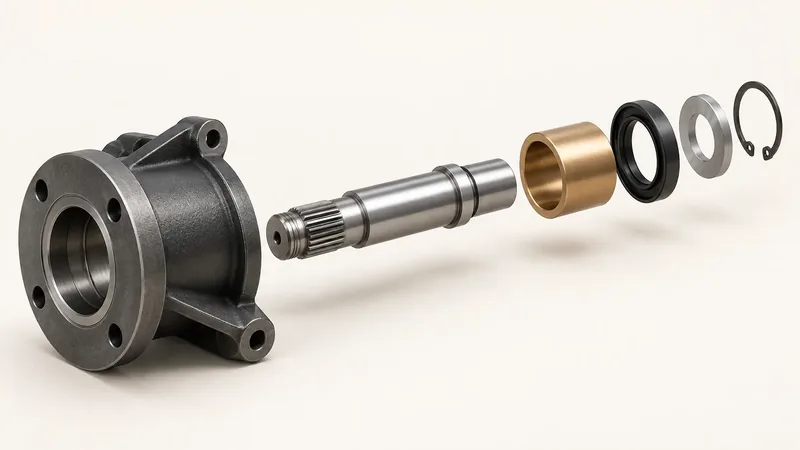
Exploded-view reference alignment requires an established agreement to identify exceptions. If a callout has no corresponding row, record the figure, item reference, and source revision in a query. If two rows share a callout, ask whether they represent alternatives or an intentional grouping. The client’s technical owner should always confirm the answer. Moving a leader line or renumbering a balloon to make the page look consistent can conceal an unresolved source issue.
Preserve drawing orientation during layout adaptation, including for languages that read from right to left. Though text direction may change; component geometry should not automatically be mirrored to match it. Any necessary movement of labels or leaders should be checked against the approved source and reviewed for its effect on the component being identified.
Handle Model Variants Without Losing Distinction
A shared illustration may cover multiple models, options, or production ranges. The drawing can look identical while the applicable part number or quantity differs. Keep every condition connected to the row it qualifies. Translate the meaning of an applicability note but preserve the codes and limits it references. Ask the client to define the ambiguous range notation and whether boundary values are included.
Consider this fictional example: figure F12 uses callout 7 for a guard. Its list identifies part 004820-A for model M100 and part 004820-B for model M100X. Both descriptions state, “protective guard.” A translation can use the same approved term in both rows, but it must retain both part numbers and their model restrictions. The matching description does not establish interchangeability.
If the localized layout combines those rows to save space, the model distinction may disappear. Keeping them separate or using a client-approved combination that retains every condition, protects the reference. The same principle applies to kits and optional equipment: the manufacturer must confirm what is included, what is separately orderable, and which configuration the information describes. A translator should not derive those relationships from indentation or visual similarity alone.
Make the Translated Layout Easy to Follow
Longer translated descriptions can increase row heights and push a list onto another page. Multilingual desktop publishing should preserve the connection between the item reference and its description, quantity, and notes. Thoughtfully use wrapping and column adjustments. Repeated headings and clear continuation references help readers follow a table across pages; simply reducing every description to a smaller font does not solve the underlying usability problem.
Check that indentation, symbols, and footnotes still communicate the intended hierarchy. A wrapped line must not resemble a new entry, and a note must not appear to qualify the neighboring row. Keep identifiers legible and avoid line breaks that make a single part number look like separate values. Verify mixed-direction strings in right-to-left layouts rather than assuming a visually acceptable paragraph preserves their reading order.
Review the delivered format, not just the editable file. In a PDF, inspect the illustration at the intended viewing or printing size, confirm that table text is not clipped, and test navigation links if they are included. A separate linguistic check should follow any shortening or rewording made during layout. Technical meaning must not be sacrificed to achieve a preferred page count.
Multilingual desktop publishing for technical documents
Assign Review Responsibilities Before Production
Separate processes such as language decisions, production checks, and engineering decisions in the review plan. Linguists assess meaning, terminology, and readability against the approved source. Layout specialists check text flow, visual associations, and output quality. Client technical reviewers confirm component relationships, applicability, source ambiguities, and any changes to product information. None of these roles should be assumed to replace the others.
Use a query log tied to stable references. A useful entry identifies the source revision, figure, item, issue, proposed wording (where appropriate), responsible reviewer, and approved resolution. Resolve one product question centrally before applying its answer across languages. Conflicting comments from dealers and engineering should be returned to the designated owner, rather than leaving the language team to choose which component interpretation is correct.
For delivery, define a small set of observable acceptance criteria. A checklist may include items such as protected identifiers match the approved source; every expected translated description is present; applicability notes remain attached to the correct rows; and no unresolved component query is concealed in the final layout. Agree which checks cover the full publication and which require targeted technical review. A clean visual proof alone is not evidence of engineering approval.
Trace a Reference in Both Directions
A reverse content check can expose a misplaced row or continuation note that a normal reading pass overlooks. For example, take a fictional review that begins at a specific figure number. Follow a callout to its entries, confirm that each translated description stays beside the appropriate part number, and read the model condition. Then begin with part number in the list and work back to the drawing.
Include a deliberately chosen content set in the review plan that may flag a concern such as a repeated item number in another figure, a long description, an optional assembly, a footnote spanning several rows, and a component not illustrated. Compare these against the source and the approved decisions. Define the broader verification coverage separately; a successful sample is useful evidence about the method, but it does not prove that every entry is correct.
Scope Deliverables and Effort Around the Actual Files
A useful delivery package may include the formatted language editions, adapted editable files, a terminology record, and the resolved query log. If a structured return file is required, preserve its record identifiers and test it through the client’s agreed content import process. Confirm if testing participation is required by the provider before quotation pricing is established. A translated file delivery and successful integration into a parts system are different milestones.
Effort depends on more than word count. Hundreds of short entries may involve many distinct assemblies, compressed abbreviations, or inconsistent source terms. Embedded illustration text, complex variants, narrow tables, and multiple output formats add review or production work. A representative sample should include the most demanding pages, not only a simple list, so translation and layout can be assessed together.
Allow time for technical answers and a review of the formatted result. Identify the approved source version at kickoff and provide a clear revision record there are changes during production. A revised part number may require no new translation but may still affect several references. Recheck the affected relationships instead of treating unchanged wording as proof that the localized page remains current.
For a large publication, an early representative proof review can settle terminology, table wrapping, and note placement before they are repeated throughout the file. Have the language reviewer and client technical contact review the same initial translation sample. Record the agreed treatment of abbreviations, continuation headings, and protected fields, then refer to it as the production reference. This reduces avoidable rework without promising a particular turnaround time.
Frequently Asked Questions
Can We Send Only the Description Column?
It may be sufficient for an initial estimate, but it usually lacks the context needed for production. Include stable row identifiers, figure references, and relevant drawings. These allow questions and approved translations to be associated with the right component without relying on spreadsheet row order.
Should We Translate Text Inside the Illustration?
Include explanatory text in the translation scope when readers rely on it in the target language. Keep identifiers under the agreed protection rules. Supply editable artwork where available and identify every language-bearing graphic. If the drawing is not editable, assess the additional graphics work before confirming delivery.
Can a Translator Resolve a Mismatched Callout?
A translator can flag the mismatch and explain the ambiguity. The client’s authorized technical reviewer must confirm the intended component relationship. Incorporate that approved correction consistently into the governing source and affected language editions; do not automatically correct only the translated version in question.
Plan a Connected Translation and Layout Project
Terralíngua’s machinery subject matter experts translate technical content such as parts information as well as handle multilingual formatting of manuals and related publications. Our technical translation approach uses industry subject knowledge, client references, and reviewer approved terminology. Terralíngua encourages client collaboration with no additional fee. For example for an illustrated parts list collaboration would be established to discuss the language and production scope together, while still deferring to the client’s responsibility for component relationships and technical approval.
To request an assessment, send a representative list with its matching illustrations, available editable files, source revision, target languages, and required outputs. Identify the models covered in the request, fields that must remain unchanged, if a technical reviewer is a part of the collaboration process, and the preferred deadline. Those inputs make it possible to assess the work needed as well as the required time to ensure the translated descriptions are connected to the equipment they describe.
Request a quote for illustrated parts list translation and formatting